




infoRouter
Connecting People with Information

Learn More About infoRouter
Find What Your Looking For FAST
Initially developed for the aerospace industry, infoRouter now provides hundreds of organisations, in all commercial sectors, with a collaborative document portal that enables users to efficiently create, capture, secure, share, manage and workflow approve digital and paper-based documents.
Whether you work in words, pictures, audio, or video, infoRouter can manage any type of document or file.
youre.
Quick Overview
DMS Out of the BOX
STEP 1 - Create a Document Libray
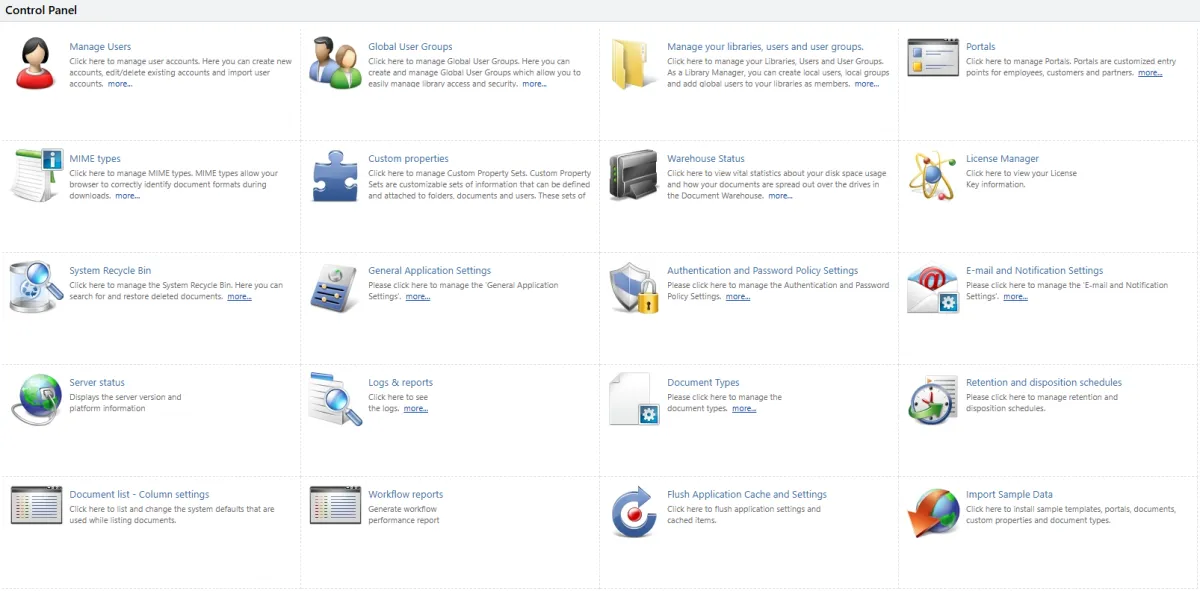
With infoRouter’s intuitive Control Panel, trained power users can quickly set up document repositories and apply the appropriate library policies.
From there, it's easy to create users and groups and build a security structure that fits the organisation and document types.
No complex configuration, extended development cycles or lengthy training programs — just fast, practical results.
STEP 2 - Make your Content Easy to Find
Data only has value if you can access it quickly.
With infoRouter property sets, you can build the right metadata structure for every type of document or content you store. When you publish information, you can apply meaningful descriptive data that makes searching and retrieval fast and accurate.
Metadata can be added manually, pulled from the document content, or applied automatically through database lookups—giving you flexibility and consistency without extra effort.

STEP 3 - Import Your Content into infoRouter
Once your infoRouter setup is in place, you’re ready to start importing your documents and data.
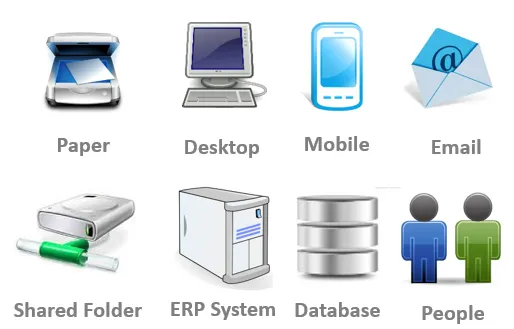
No matter where your information currently lives—shared drives, ERP systems, databases or other platforms—infoRouter provides many flexible ways to bring it all in:
Import Export Tool
Easily migrate documents from legacy shared drives.
Hot-Folders Service
Automatically import documents and metadata from watched folders.
API Access
Use the infoRouter API to connect to virtually any data source.
In addition, there are mobile apps, scanning tools, email capture services, and connectors for leading document scanning and data capture solutions.
If you need to bring it in, infoRouter can handle it.
Step 4 - Distribute data FAST
Now you can release your infoRouter data and let it earn its keep!
infoRouter collaboration tools provide the following benefits:
Faster teamwork
Multiple people can work on the same document at the same time—no waiting for email versions or manual updates.
Version control
Everyone is always working on the latest version, with a full history of changes for accountability and rollback.
Secure access
You control who can view, edit, download or approve documents, protecting sensitive information.
Reduced email overload
No more sending attachments back and forth—just share a link or workspace.
Real-time updates
Comments, edits and approvals happen instantly, keeping projects moving and people aligned.
Access anywhere
Documents are available on any device, from any location—ideal for hybrid, remote and mobile teams.
Better compliance & audit trails
Digital systems track changes, approvals and activity automatically, helping meet regulatory requirements.
Improved productivity
Less time chasing files, searching shared drives or duplicating work.
Easier integration
Digital platforms often connect with other systems like ERP, CRM or scanning tools.
Cost and space savings
Cuts down on printing, storage, shipping and manual processes.

Workflow and Automation
Streamline & Automate Your Business Workflows
Simplify complex processes and eliminate bottlenecks with infoRouter’s Workflow Management Tools. Designed to automate repetitive tasks and improve coordination across departments, infoRouter helps your teams work smarter and move faster.
With infoRouter, you don’t need to start from scratch — use existing workflows as templates and customize them to match your exact business needs. Build, adapt, and deploy powerful workflows in minutes, not weeks — all within a flexible, easy-to-use system that grows with your organization.

Automate & Simplify Your Review Process
Streamline Recurring Tasks
With infoRouter, it’s easy to create recurring workflows for routine tasks like ISO Document Control Reviews. Simply set a schedule for when documents—or entire document sets—need to be reviewed, and let the system handle the rest.
Reviews can be assigned to individuals or automatically routed through a multi-step workflow involving several team members. Whether you need a simple approval or a complex, multi-stage process, infoRouter gives you the flexibility to build workflows that match your exact requirements.
The result? Consistent, on-time reviews, improved compliance, and greater efficiency across your entire organization.
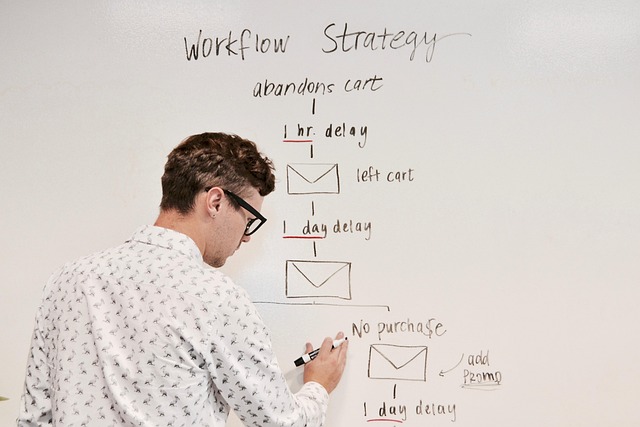
Workflow Examples
Workflow automation in the real world
Here's some examples of how you can use infoRouter software in your organisation:
• Quality management systems, ISO 9001 documentation
• Policies, procedures, or marketing materials
• Manage vendor, customer, or partner agreements
• New starter and HR documentation
• Automate approval and routing of purchase orders
• Accounts payable automation
• Change request for manufacturing and software development environments
• Health and safety or data protection policies
• Complaint Handling for customer service and quality assurance teams
• Financial audits
• Customer Portals

infoRouter Web Services API
Connecting infoRouter to your DATA
The infoRouter Web Services API is a powerful tool for developers and businesses looking to integrate a secure, compliant, and scalable document management system into their existing infrastructure. Using the infoRouter API you can:
• Automate document uploading from external applications or workflows
• Create custom document search portals to find infoRouter data fast
• Integrate infoRouter with your ERP and CRM data
• Create mobile apps which link to infoRouter data
Whether you’re looking to automate processes, create custom applications, or simply provide easier access to your document repository, the infoRouter API offers the flexibility and control you need.

How infoRouter Licensing Works
Deployment & Architecture
infoRouter is available as a cloud service hosted in our UK based data centre, or as an application which can be deployed onsite using the customer's own Windows Server.
Licensing: Min 12 month subscription model based on the number licensed users - both subscription and perpetual licenses are available.
There is no limit of the number of workflows or documents which can be created/deployed/uploaded.
Free trial or time limited versions are available.
Please contact us for detailed pricing, or to discuss your application.
Top 20 Uses For infoRouter
Is infoForms Right For My Business
Typical users of infoRouter include SMEs to large corporates, focused on streamlining document collaboration.
Typical examples include:
1. Document Storage and Centralization - Keep all documents in a single, organized repository accessible to authorized users.
2. Version Control - Track changes, maintain revision history, and ensure everyone uses the latest document version.
3. Document Search and Retrieval - Quickly find documents using keywords, metadata, or full-text search.
4. Access Control and Security - Restrict access based on roles, departments, or clearance levels to protect sensitive information.
5. Compliance Management - Ensure adherence to industry standards like ISO, GDPR, HIPAA, or SOX by managing controlled documents.
6. Workflow Automation - Automate repetitive tasks such as approvals, reviews, and routing of documents.
7. Collaboration - Allow multiple team members to work on the same document simultaneously with tracked changes.
8. Audit Trail - Maintain detailed logs of document activities to support internal or external audits.
9. Document Retention and Archiving - Automatically archive or delete documents based on retention policies to manage storage and compliance.
10. Digital Signatures and Approval - Enable secure, electronic signing and approval workflows for contracts and forms.
11. Content Categorization and Tagging - Organize documents using metadata, tags, or folders for easier management.
12. Email and Document Capture - Capture documents directly from emails, scanners, or mobile devices into the DMS.
13. Mobile Access - Allow employees to access, review, or approve documents from anywhere on mobile devices.
14. Audit and Risk Management - Track critical documents related to risk assessments, safety reports, and compliance audits.
15. Project Document Management - Organize project-specific files, such as plans, contracts, specifications, and reports.
16. Contract Management - Track contract lifecycle from creation, negotiation, approval, renewal, and expiration.
17. Invoice and Financial Document Processing - Automate capture, validation, and approval of invoices, purchase orders, and expense reports.
18. Knowledge Management - Store and share procedures, manuals, policies, and best practices across the organization.
19. Health and Safety Documentation - Manage incident reports, safety audits, training records, and regulatory compliance documents.
20. Records Management - Efficiently manage legal, HR, and operational records while ensuring security, compliance, and easy retrieval.
What's Your Application - If you've got an application you'd like to discuss, contact us for a detailed demo, or request a FREE 14 day trial.
infoRouter in Action
Secure, Fast, & Scalable Document Management
infoRouter keeps all your digital assets organized, accessible only to the right people, and fully under control. Reliable, scalable, and lightning-fast — the document management system your growing business needs.
See below how PCM UK have used infoRouter software to scan and index all of their customer files.
Case Study: A Scanning Success - PCM Pumps Bring 30 Years of Job Files Online
About PCM UK Ltd
PCM is a global leader in the design and manufacture of progressing cavity pumps, with a proud history spanning over 90 years. Their innovative pumping solutions are found in a diverse range of industries, from oil and gas to food processing, mining, and paper production. PCM’s commitment to long-term service is clear—they continue to support and supply spare parts for systems installed over 30 years ago.
www.pcm.eu

The Challenge
When it comes to supplying replacement parts for decades-old installations, having fast access to accurate documentation is critical. Historically, PCM managed all customer contract records in physical folders—some exceeding 200 pages and containing everything from CAD drawings and handwritten notes to post-it memos, letters, and faxes.
Locating a specific document meant time-consuming searches in the archive room, often taking staff away from more valuable tasks. Outsourcing scanning to a bureau service was considered, but high costs led PCM to seek a more efficient and cost-effective in-house solution.
The Solution
PCM partnered with Document Genetics to implement a scalable, easy-to-use document management system that would deliver a fast return on investment.
The solution included:
✅ infoRouter Electronic Document Management System (EDMS)
✅A dedicated scanning workstation featuring a Kodak i3200 production scanner (A4/A3, 50 ppm) and Kodak Capture Pro software
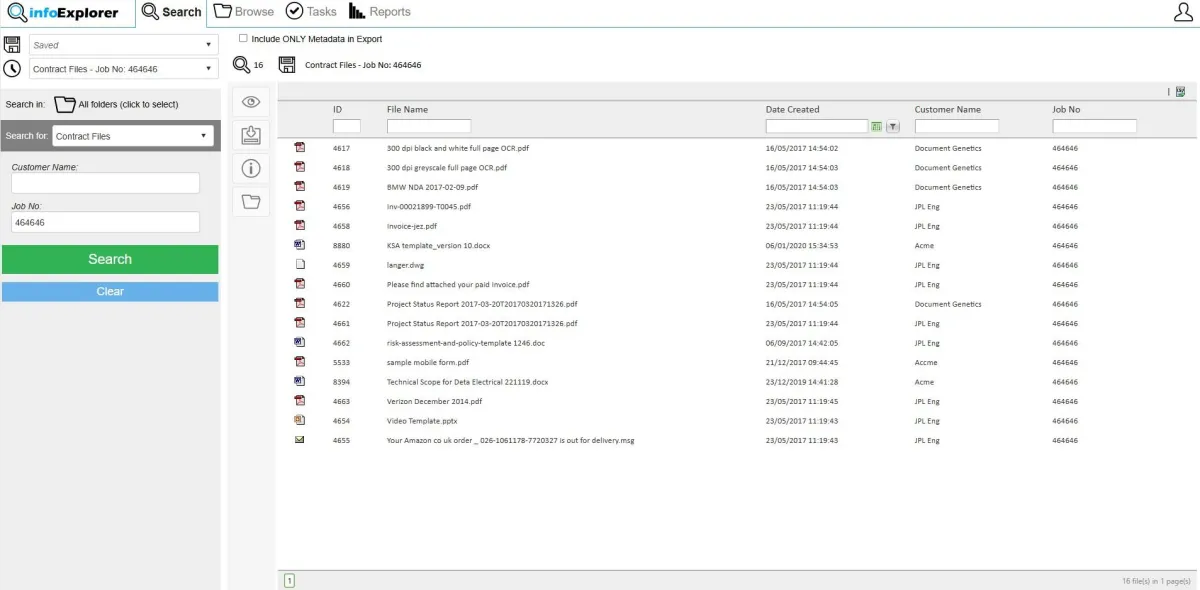
✅Contract files indexed with three key metadata fields: Customer, Contract, and Date
✅Full-page OCR enabling keyword search functionality (e.g., for part numbers)
✅infoExplorer Search Portal – a simple and intuitive web-based search portal
✅A convenient single monthly payment model covering hardware, software, and support
The Results
The new digital archive transformed PCM’s document workflows:
✅ Over 20 hours saved each month in manual file retrieval
✅ Staff adoption was effortless thanks to an intuitive search interface requiring minimal training
✅ Faster, more accurate order fulfilment led to improved customer service
✅ The archive room has been repurposed for more productive use
✅ Enhanced disaster recovery with critical documents now protected from fire, flood, or theft
✅ Improved compliance with industry and ISO standards
✅ Zero upfront capital costs – the solution paid for itself in under 6 months

Customer Feedback
“The whole implementation was seamless, and we enjoyed the benefits of the solution from day one. I would highly recommend the first-class services and support from Document Genetics.”
– Dave Burrows, UK General Manager, PCM UK Ltd
What's Your Application
Whatever your use case, our team is here to answer questions or arrange a live web demo.
Youtube
LinkedIn