





infoForms
Create and deploy Mobile Form Apps in minutes

Learn More About infoForms
Working Smart
infoForms is a fully customisable solution that transforms outdated paper forms into dynamic, mobile-friendly digital capture applications. With infoForms, you can:
Deploy Anywhere – Roll out digital forms quickly across tablets, smartphones, and desktops.
Custom Design - Rapidly create what your business needs, without having to resort to costly app developers.
Reduce Errors – Capture clean, accurate data at the source with built-in validation.
Boost Productivity – Automate workflows and eliminate repetitive manual tasks.
Stay Compliant – Maintain secure, trackable records with full audit trails.
Work Smarter – Access submissions instantly, anytime, anywhere.
If your business still uses paper forms, then read on to see how you can quickly deploy digital forms across a range of digital platforms. youre.

Digital forms in 3 easy steps
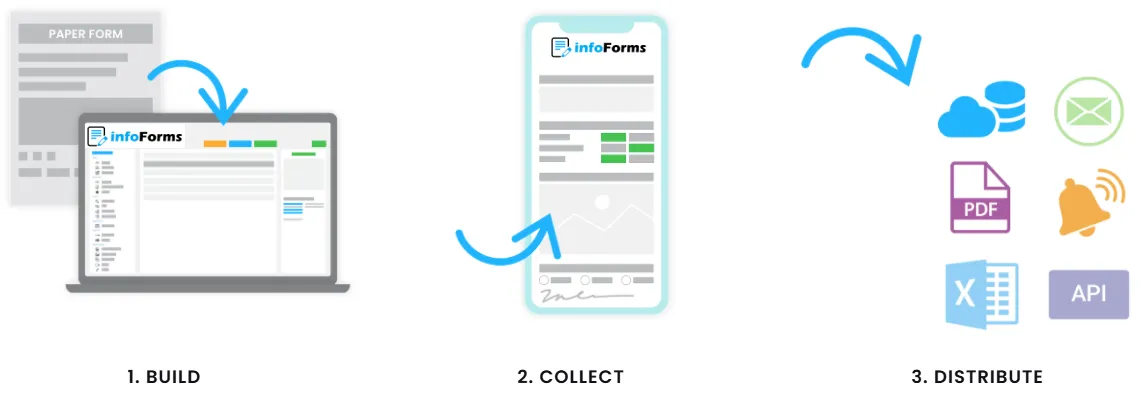
STEP 1 - Build your form
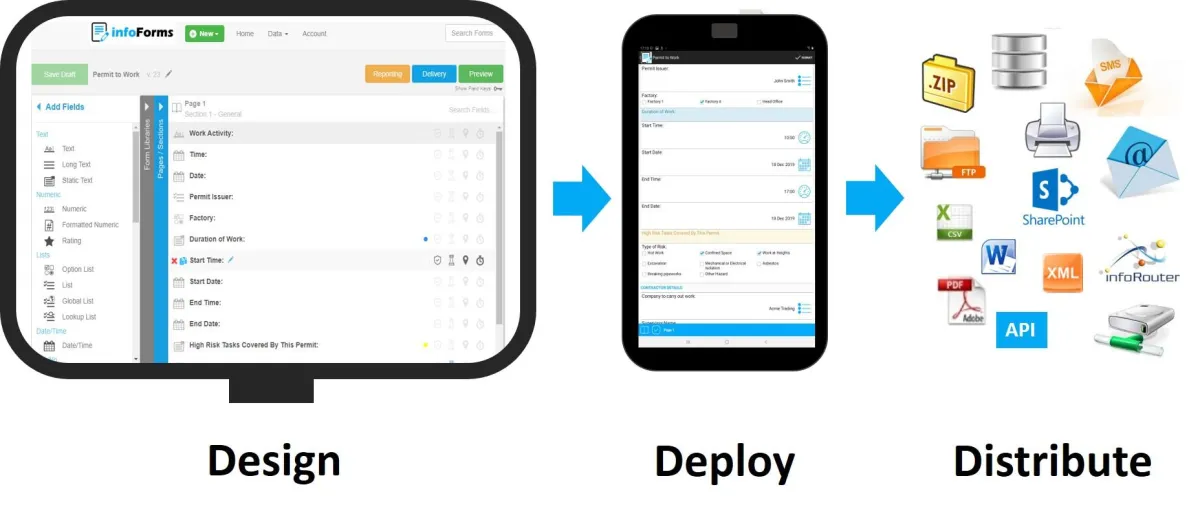
The infoForm Form Builder is a powerful forms design tool which allows you to create and deploy your own mobile forms in minutes.
Anyone can use infoForms, you don't need to be a programmer or an IT wiz. Forms are created using simple menus and rules - no complex scripting is required.
Some of the most creative users of infoForms are the people who really understand the process which needs digitising... not necessarily the IT department.
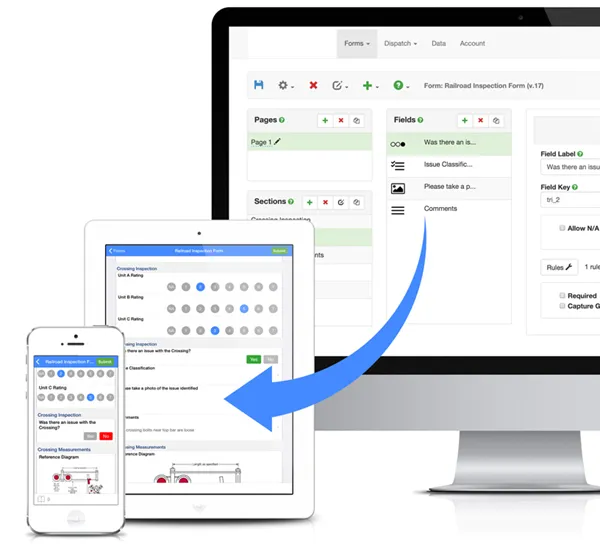
STEP 2 - Deploy your forms app
Once you've designed your capture application, the next step is to release the form to your workforce.
Forms can be dispatched, or assigned to any number of users who can then complete the forms using the infoForms app on their own smart phones or tablets. Only users with the relevant permissions will see a specific form. There is even an option to publish browser based forms which allow users to complete forms on their favourite browser.
The infoForms app is available for both Android and Apple iOS devices.
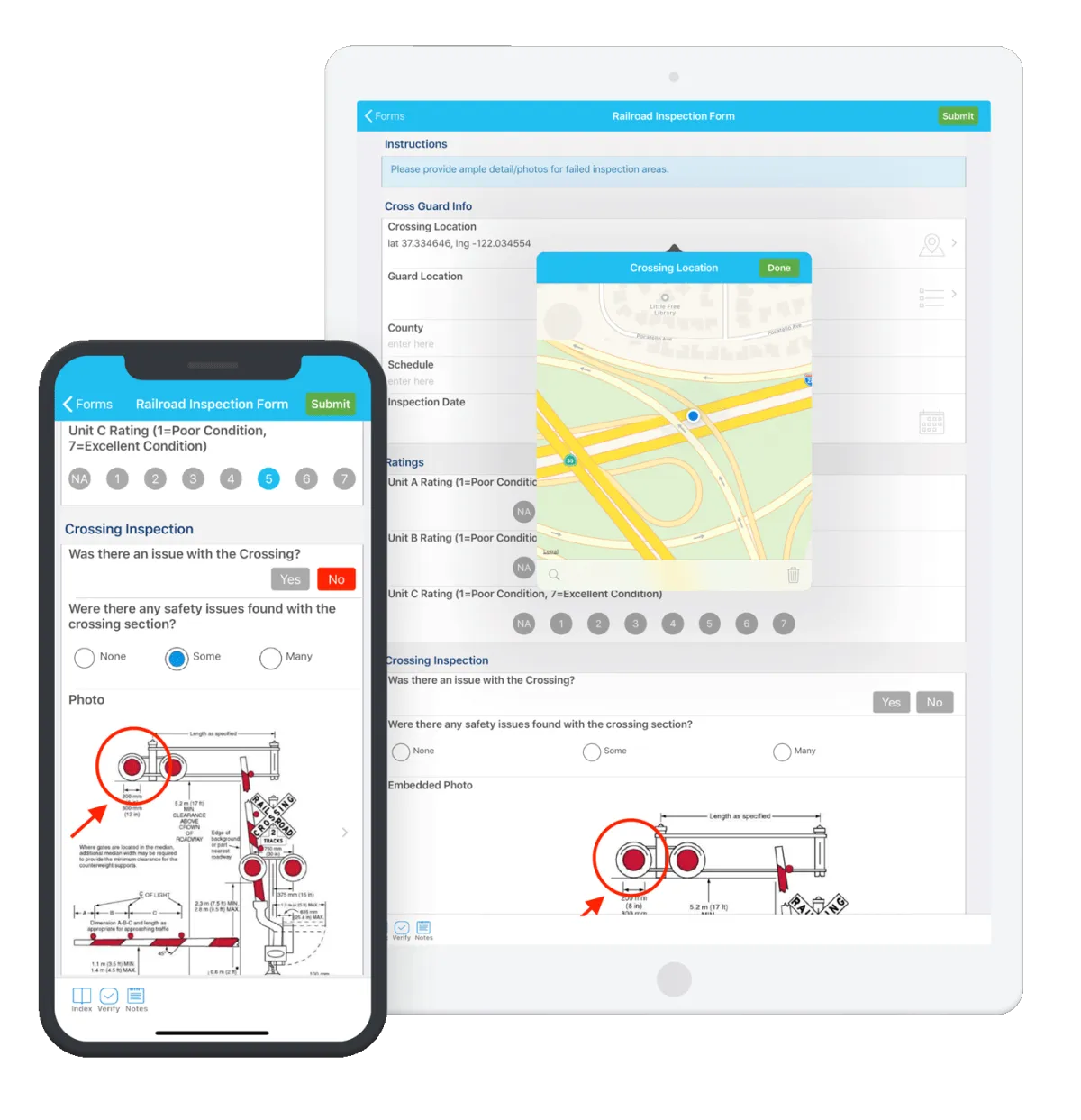
Step 3 - Capture & Distribute data FAST
With infoForms, data is collected right at the point of entry. Forms can be completed even when there is no data connection on a mobile device (off-line) and once a form is submitted, the information flows instantly into your CRM, ERP, or database—eliminating manual input and reducing errors.
Smart Alerts & Notifications
infoForms can trigger automated emails or alerts based on the content of a submission. For example, if a safety form flags a hazard, the system immediately notifies the relevant manager so they can take swift corrective action.
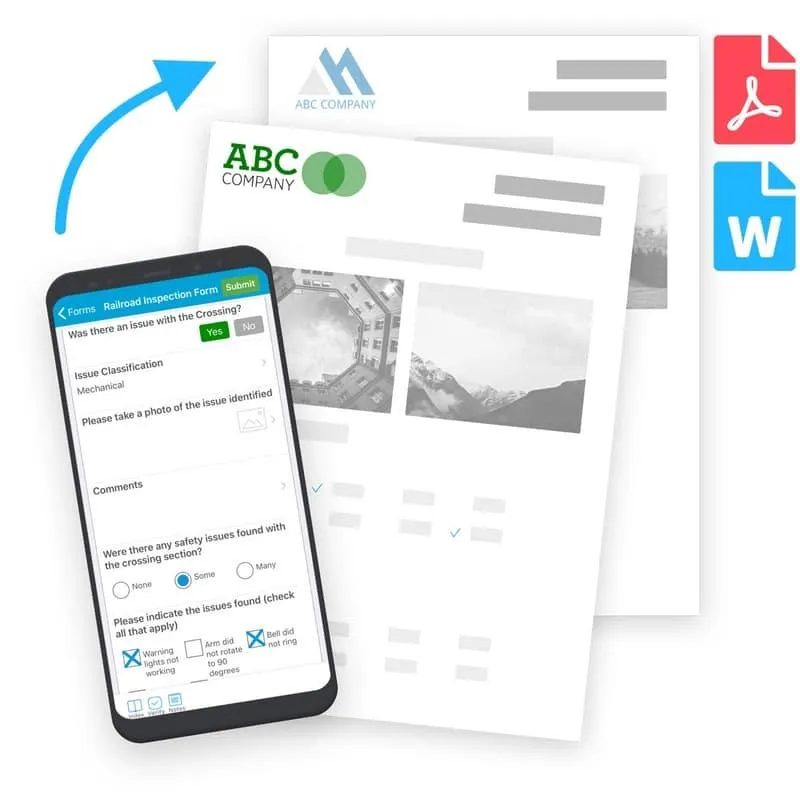
Rich Data Capture with infoForms
Capture Anything, Anywhere
Beyond simple text fields, infoForms lets you collect a wide range of valuable data to make your forms more powerful and actionable.
Examples include:
Time & Date Stamps – Automatically record submission details, including device, user, and form version.
GPS Location & Map – Pinpoint exactly where a form was submitted.
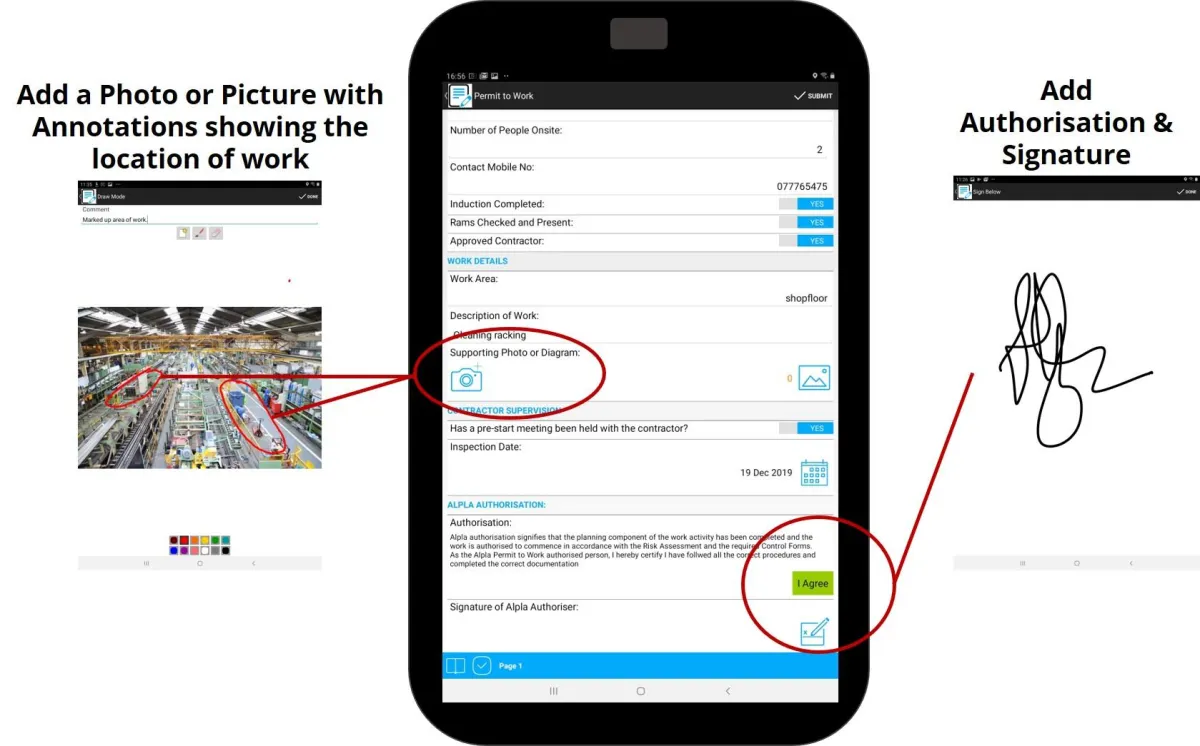
Digital Signatures – Authorise actions securely with electronic signatures.
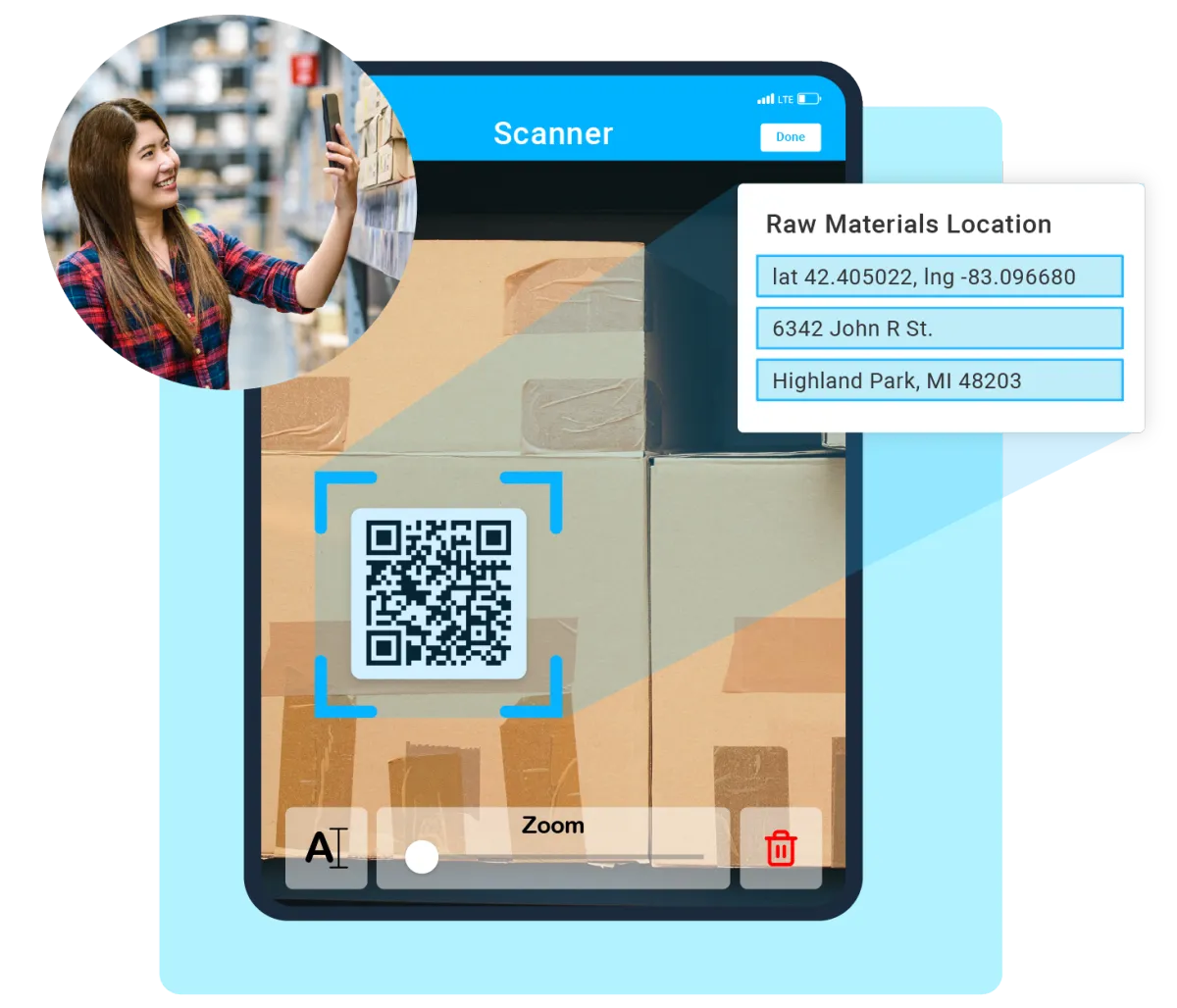
Barcode & QR Code Scanning – Instantly identify part numbers, documents, or assets.
Photos, Video & Audio – Add rich media, with tools to mark up photos for clarity.
RFID Tag Reading – Easily track and verify users or assets.
AI Powered Workflows
Intelligently Analyse and Route
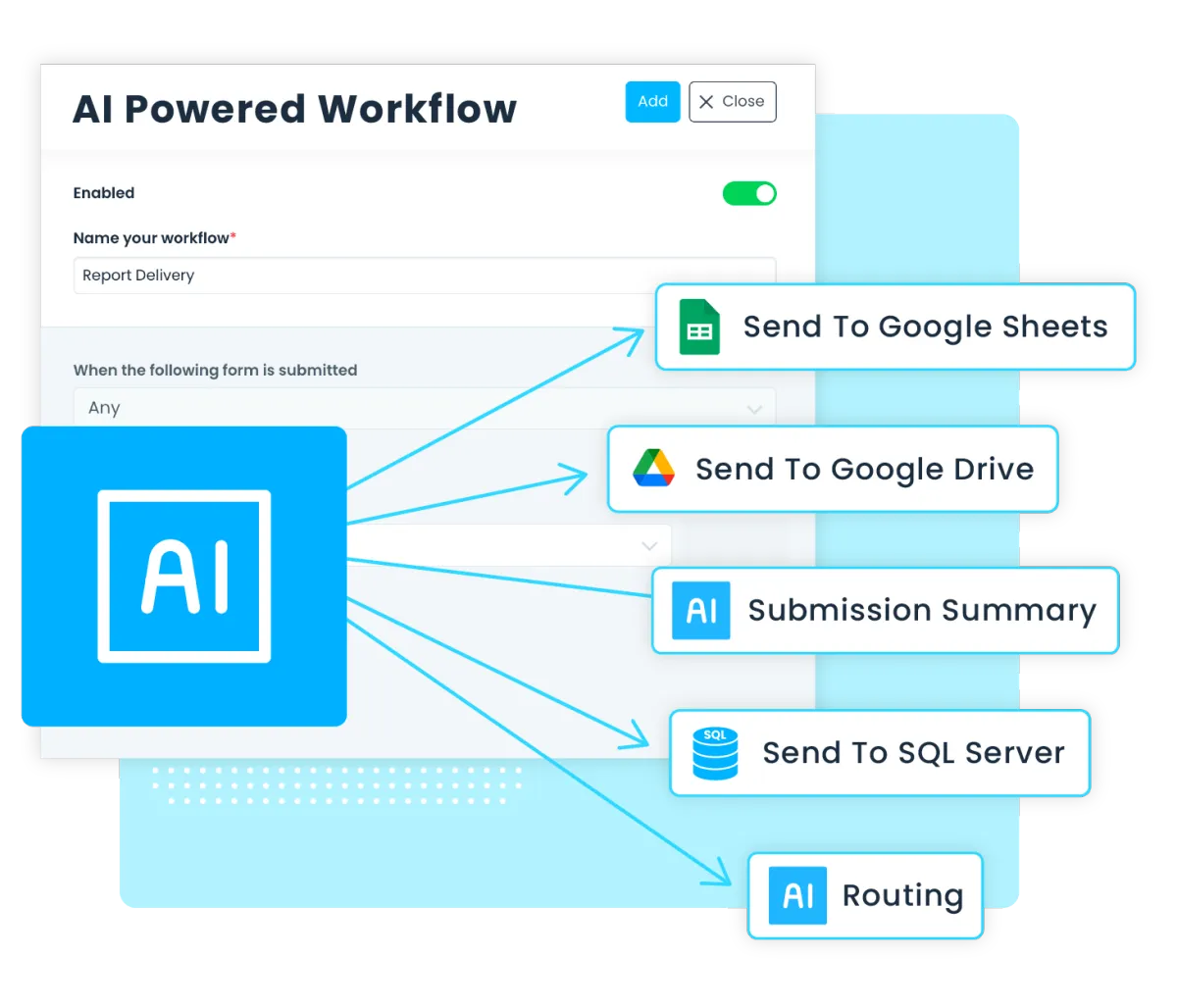
Use infoForms AI to process, analyse, and route your forms submissions with ease. Automatically extract the most important data and deliver it straight to the people who need it most.
Our AI engine processes and analyses every infoForms submission, extracting key details and routing them instantly to your CRM, ERP, or business applications.
Business Insights and Dashboards
Transform Data into meaningful information
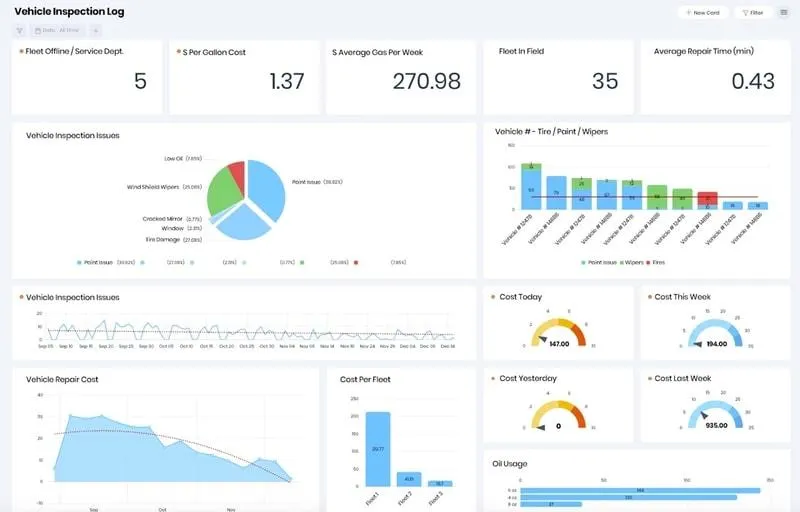
Track submissions and monitor task progress through a simple, user-friendly dashboard—giving you full visibility and control at a glance.
The dashboard can be customised to show the information a specific user or manager needs. Quickly create and track key performance indicators, statistics and trends you require.
Your forms are automatically integrated with no additional development required.
No complicated and costly 3rd-party integrations required.
How infoForms Licensing Works
Deployment & Architecture
infoForms is a cloud service hosted in a UK based data centre. The infoforms app is available on both Android and Apple iOS platforms.
Licensing: Min 12 month subscription model based on the number of licensed users. There is no limit of the number of forms which can be created/deployed, or the volume of information which can be submitted.
Free trial or time limited versions are available.
Please contact us for detailed pricing, or to discuss your application.
Who Uses infoForms
Is infoForms Right For My Business
Typical users of infoForms include SMEs to large corporates, focused on streamlining everyday data capture.
Typical examples include:
Proof of Delivery (e-POD)
Proof of Packing
Site & Building Inspections
Job/Work Orders Despatch and Control
e-Permit to Work (e-PTW) Risk Assessments
Site Surveys
Audits
Onboarding New Employees
Safety Behaviour Observation (e-SBO)
Daily Vehicle Inspections
Tyre Fitting Checks
Maintenance Check Lists
Time Sheets
Mileage Logging
Holiday Requests
Expenses
Health & Safety/Accident Reports
Training
Finance and Credit Agreements
Purchase Orders/Invoices
Order Forms
infoForms is perfect for finance, manufacturing, healthcare, logistics and ERP driven environments where there are a multitude of opportunities to digitise legacy paper based processes.
What's Your Application - If you've got an application you'd like to discuss, contact us for a detailed demo, or request a FREE 14 day trial.
infoForms in Action
Real-World Use Cases
infoForms isn’t just powerful software—it’s a smarter way to tackle everyday challenges, from automating POD capture to digital inspections forms - organisations across all industries rely on it to save time and work more efficiently.
See a real-world example below and discover how infoForms can turn a paper based task into a seamless, automated workflow.
Whatever your use case, our team are here to answer questions or arrange a live web demo.

Case Study – Streamlining Permit to Work (e-PTW) risk assessments

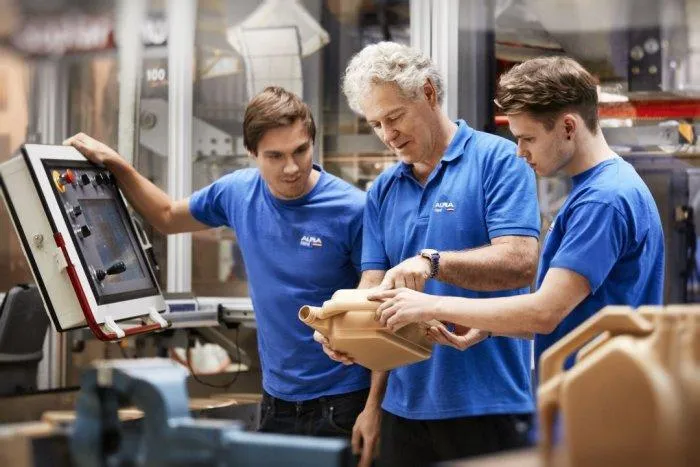
ALPLA is a world leader in the development and production of innovative plastic packaging solutions. Employing over 24,000 staff in 200 locations throughout 46 countries, they produce packaging systems, bottles, caps and injection-moulded parts for a wide range of industries. More info about Alpla.
If you’re running a paper-based Permit to Work (PTW) process you’ll know how much time is spent filling in forms, recording information and checking jobs have been completed. Alpla had looked a number of times at electronic PTW systems, however, the majority of the e-solutions reviewed were designed with petrochemical companies in mind and were considered overly complex and expensive to buy.
As an existing customer, Alpla approached Document Genetics to design a suitable electronic Permit to Work (e-PTW) system built around their infoForms app.
The Alpla e-PTW process can be broken down into 4 simple stages.
These are as follows:
Step 1 - Design and Distribute the e-PTW App (one-off task)
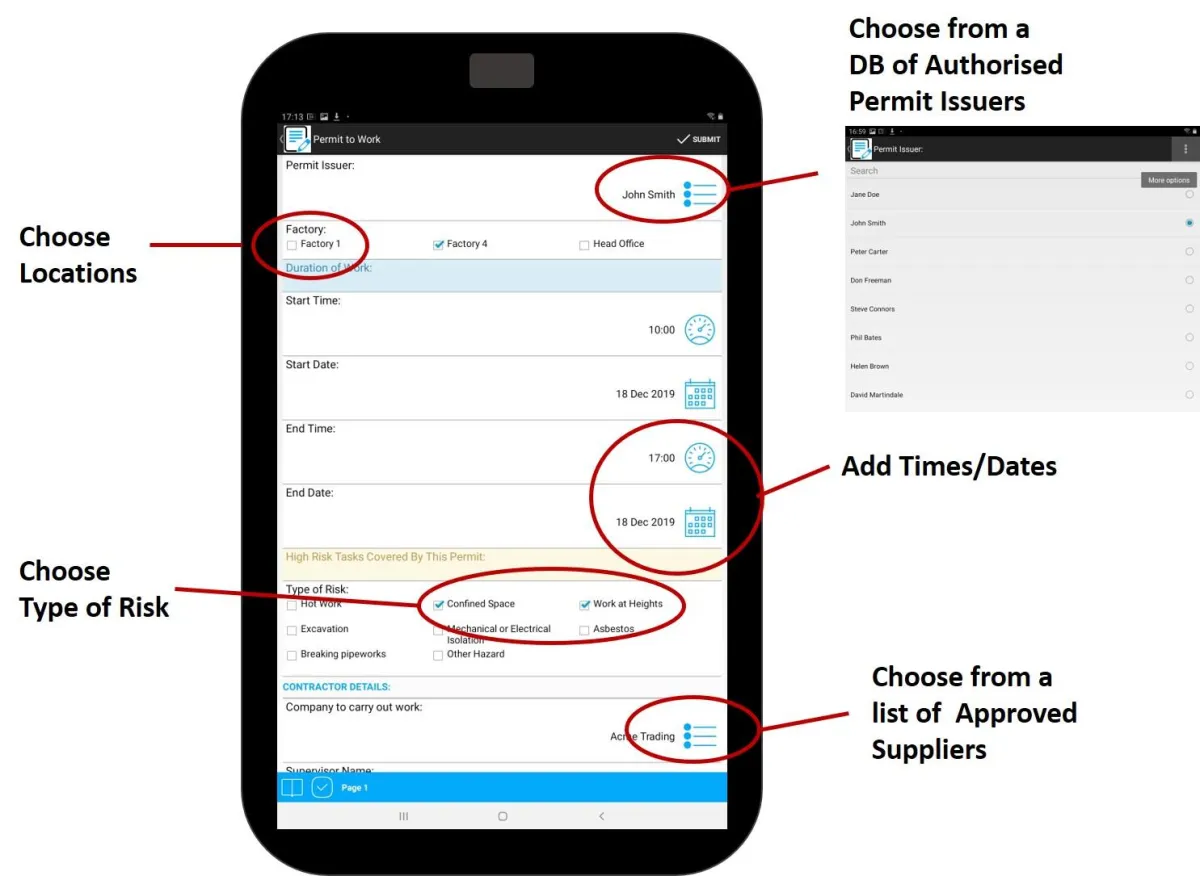
Step 2 - Work through the Questions for the Risk Assessment
Step 3 - Finish and Sign Off the e-PTW
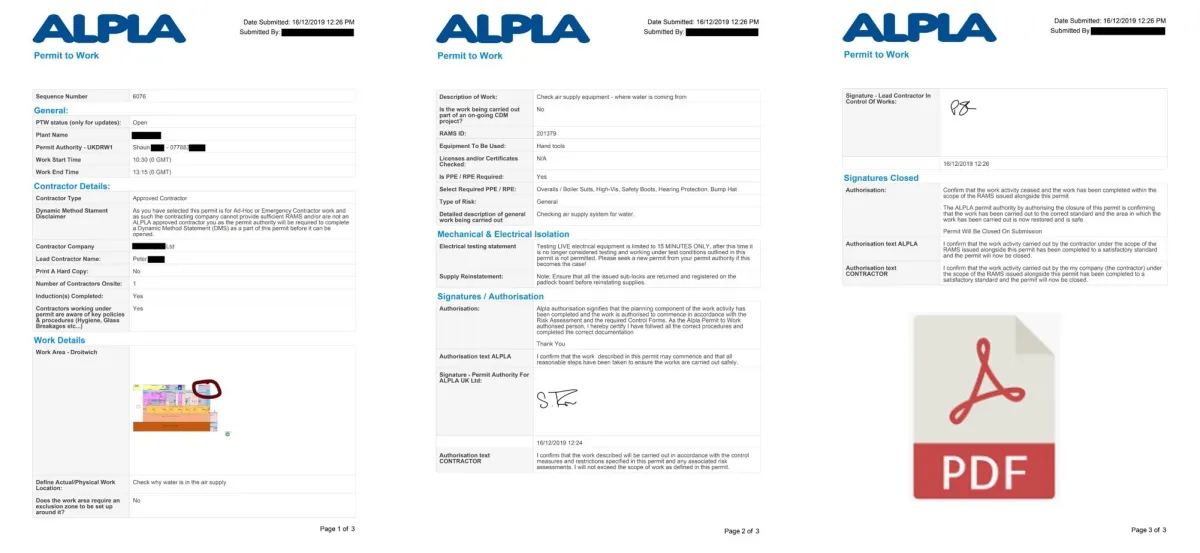
Step 4 - Finish the Process by Creating a PDF version of the PTW for the Record
Here's what Alpla's IT manager had to say about the e-PTW system:
“The electronic permit to work (ePTW) system was born out of ALPLA’s desire to move to an electronic process which would allow us to save time, eliminate unnecessary questions and auto-archive permits issued at any of our 6 UK sites.
We searched for an off the shelf solution but found most were geared towards the oil and gas industry, were overly complex and carried a high price tag. We wanted an e-PTW solution which was simple to use, quick to implement and with a strong return on investment – with this in mind, we worked with Document Genetics to build our own ALPLA e-PTW system. This has achieved all of our objectives and has the added benefit, of being able to make rapid changes to the forms, or the underlying process if we need to. The e-PTW initiative has been well received across all of the ALPLA sites and by our customers/contractors. Paper permits are now a thing of the past and the e-PTW dashboard means we can instantly check ongoing works, or review archived permits.”
Daniel Connolly - IT Manager Alpla UK
Safety Behaviour Observation
Alpla have now gone on to extend the use of infoForms to many other areas of the business; a good example being Safety Behaviour Observation (SBO).
Safety behaviour observation is a systematic process used to identify and document unsafe behaviours and conditions in the workplace, aiming to prevent accidents and promote a culture of safety - this is obviously vital for a busy manufacturing company like Alpla.
As the e-SBO system is built using the same infoForms application, development and deployment costs were minimal and the familiar interface meant training for staff was greatly reduced.
"The e-SBO system has proved a real success. The rollout was incredibly straightforward as staff were already using the e-PTW app - we've estimated the ROI was as little as 6 months, the employee feedback has been really positive and most importantly the new electronic process has improved our health and safety monitoring throughout the business".
Daniel Connolly - IT Manager Alpla UK
What's Your Application?
In summary, infoForms automates the collection of mobile form data, saving you time and allowing staff to focus on added value activities.
If you have a possible application, we'll be happy to answer any questions, or provide a web demo.
Youtube
LinkedIn